


Hi I'm Adam, in this article I cover the essentials of web design and development, including core components, necessary skills, and best practices for creating functional, visually appealing, and secure websites.
Web Design and Development
In the modern digital landscape, web design and development are crucial in creating websites that captivate and retain site visitors.
While web design focuses on aesthetics, layout, and interactive elements, web development drives the website creation process, handling functionality, database management, and server-side operations. Together, design and development ensure a seamless, user-friendly experience across different devices and screen sizes.
Key Differences Between Web Design and Development
| Aspect | Web Design Focuses | Web Development Focus |
|---|---|---|
| Purpose | Visually appealing layout, design, and user experience | Site functionality, databases, and server management |
| Key Tools | Design tools (Figma, Sketch, Adobe XD), HTML, CSS | Coding languages (PHP, Python), database and server management tools |
| Outcome | Attractive, interactive, user-friendly web page | Reliable, scalable, and secure backend functionality |

Core Components of Web Design and Development
Web design and development are divided into three main areas: front-end development, back-end development, and full-stack development.
Front End Development
Front-end web development (or client-side development) deals with elements users directly interact with, such as navigation menus and interactive elements. Key aspects include:
- HTML (HyperText Markup Language): Structures web pages.
- CSS (Cascading Style Sheets): Adds styling, including fonts, colours, and layouts.
- JavaScript: Enhances functionality, enabling animations and interactive content.
Front-end developers focus on building responsive web designs that work well on different devices and screen sizes, contributing significantly to a user-friendly experience.
Back End Development
Back-end developers manage the server side of a website, ensuring database management, security measures, and reliability. Core components include:
- Server Management: Configures the server for optimal performance and security.
- Database Management: Handles user data and content, ensuring seamless interactions.
Full Stack Development
Full-stack developers possess both front-end and back-end development skills. They are versatile, managing the creation process from website creation to maintaining websites post-launch. This role requires knowledge of programming languages, content management systems, and development tools.
Essential Skills for Web Designers and Developers
Successful web designers and developers require a combination of technical skills and design abilities, which can be acquired through online courses and experience creating websites.
Technical Skills
- Programming Languages: HTML, CSS, and JavaScript for the front end; PHP, Python, and SQL for the back end.
- Database Management: Tools like MySQL and MongoDB are used to organise data.
- Server Management: Understanding of servers and security.
Design Skills
Web designers focus on creating visually appealing and intuitive web designs:
- Responsive Web Design: Ensures websites adjust to different devices.
- User Interface (UI) Design: Improves user interactions.
- Design Tools: Figma, Adobe XD, and Sketch for layout and wireframe creation.
The Web Development Process
Creating effective websites involves a structured development process:
Planning
Define project goals, structure, and user needs. Tools like wireframes and site maps help plan an intuitive layout.
Website Creation
- Coding: Writing code for both front-end and back-end functionalities.
- Content Creation: Developing relevant content for each web page.
- Integration: Bringing design and development together for cohesive functionality.
Testing and Launch
Test across devices and browsers to ensure compatibility. Fix bugs, optimise load speed, and verify web security features.
Maintenance
Ongoing tasks to ensure site security and functionality:
- Security Measures: Regular updates and monitoring.
- Content Updates: Adding new articles, blogs, or images.
- Performance Optimisation: For improved user experience and search engine rankings.
Creating effective websites involves a structured development process:
Planning
Define project goals, structure, and user needs. Tools like wireframes and site maps help plan an intuitive layout.
Website Creation
- Coding: Writing code for both front-end and back-end functionalities.
- Content Creation: Developing relevant content for each web page.
- Integration: Bringing design and development together for cohesive functionality.
Testing and Launch
Test across devices and browsers to ensure compatibility. Fix bugs, optimise load speed, and verify web security features.
Maintenance
Ongoing tasks to ensure site security and functionality:
- Security Measures: Regular updates and monitoring.
- Content Updates: Adding new articles, blogs, or images.
- Performance Optimisation: For improved user experience and search engine rankings.
Key Technologies in Web Design and Development
Maintaining up-to-date with web technologies is essential for modern web developers and designers.
Web Technologies and Tools
- Libraries and Frameworks: jQuery, React, Angular, Vue for front-end development, and Django and Node.js for back-end development.
- Content Management Systems (CMS): WordPress, Joomla, and Drupal simplify website creation and content management.
Mobile Applications and Responsive Design
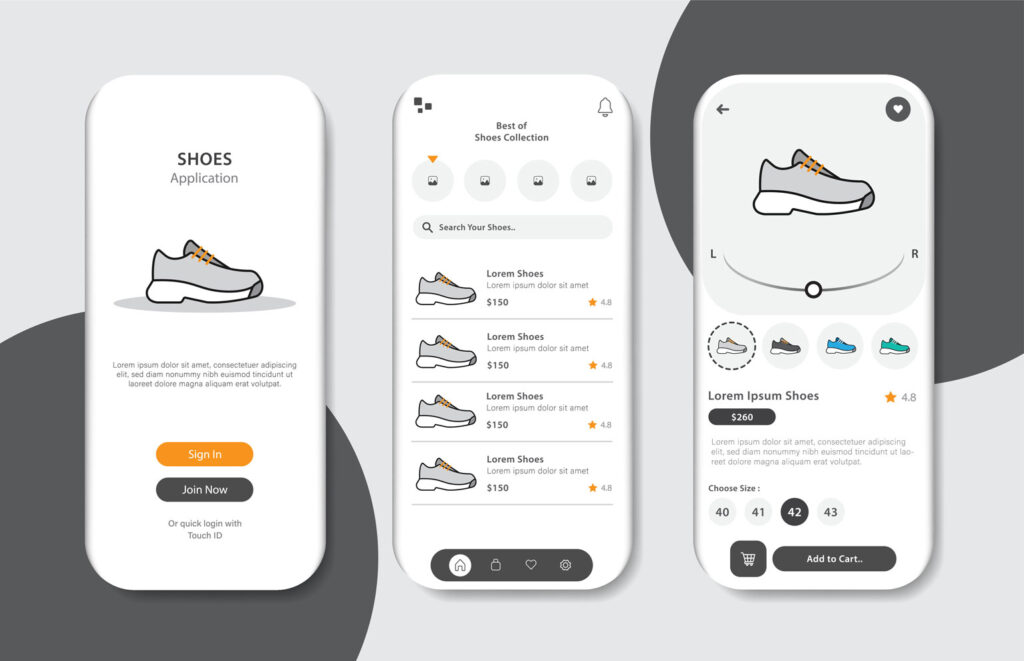
With mobile usage rising, responsive web design and mobile apps ensure sites function well on all devices.
Design and Development for User Engagement
A successful web experience relies on engaging and user-centred web designs:
Interactive Elements
Buttons, forms, and navigation menus simplify and enhance user interactions, improving engagement.
Search Engine Optimisation (SEO)
Effective SEO improves visibility on search engines, attracting more site visitors:
- On-Page SEO: Content optimisation, keywords, and meta tags.
- Technical SEO: Site speed and mobile responsiveness.
Security Measures
Implement security measures like SSL certificates and encryption to protect user data and build trust.
Common Pain-points in Web Design
| Research Focus | Method | Findings | Insights for Improvement |
|---|---|---|---|
| User Preferences | User Interviews | 85% of users prefer a clean, minimalist layout with easy navigation menus and responsive web design across devices. | Focus on responsive web design and minimalist layouts with simple navigation menus for optimal user experience. |
| Mobile Accessibility | Usability Testing | 60% of users primarily access websites via mobile devices; 70% found sites difficult to navigate on smaller screens. | Prioritise mobile-friendly layouts and responsive design to improve accessibility on different devices. |
| Loading Speed Impact | User Survey | 50% of users abandon a site if it takes longer than 3 seconds to load; 35% only wait up to 5 seconds. | Optimise images, use compressed assets, and consider Content Delivery Networks (CDNs) to improve loading times. |
| Content Organisation | Card Sorting | Users grouped information by categories like "Products," "Services," and "About Us," favouring clear, consistent labels. | Use clear and familiar labels for sections and prioritise information according to user needs. |
| Security Concerns | Customer Feedback | 65% of users expressed concerns about data security, especially on e-commerce sites. | Implement visible security measures such as SSL certificates and display privacy policies prominently. |
| Interactive Elements | A/B Testing | Pages with interactive elements, like call-to-action buttons, had 25% higher engagement than those without. | Add interactive elements like buttons and sliders to improve user engagement and conversions. |
| Content Relevance | Surveys & Interviews | Users rated content relevance at 7/10; many noted issues with finding specific information quickly. | Improve content creation by targeting key user needs and optimising layout for search engine visibility. |
| Aesthetic Appeal | User Feedback Analysis | 80% of users found sites with consistent design elements and branding more professional and trustworthy. | Ensure a cohesive design with consistent branding and colour schemes across web pages for better user trust. |
| SEO and Discoverability | Search Analysis | Websites with optimised SEO (clear meta tags, headers, and fast loading times) had a 30% increase in organic traffic over six months. | Focus on SEO best practices to improve rankings, including faster loading times and optimised metadata. |
| Site Navigation Challenges | Field Observations | Observed users struggled with complex site structures and unclear navigation paths, leading to a 40% drop-off rate. | Simplify site architecture with clearer navigation paths and optimise site flow for user-friendly experiences. |
Key Takeaways from Research
- Responsive Design: Users strongly prefer sites that function well on all mobile devices.
- Speed and Security: Faster loading times and visible security indicators improve user retention.
- Navigation: Clear and intuitive navigation is critical, as complex paths lead to higher bounce rates.
- Interactive and Relevant Content: Engaging, relevant content with interactive elements enhances user satisfaction and site engagement.
- Consistency: Cohesive design across pages boosted trust and perceived professionalism, which is particularly important for e-commerce.
Careers in Web Design and Development
Web design and development offer diverse career paths in both creative and technical fields:
- Web Designer: Focuses on layouts and visuals.
- Front End Developer: Builds interactive, user-facing elements.
- Back End Developer: Handles server, security, and data management.
- Full Stack Developer: Covers the entire creation process for a cohesive web experience.
Developers work within multidisciplinary teams, often collaborating with digital marketing professionals, project managers, and other external clients.
Conclusion
Web design and development involve a mix of creativity, technical expertise, and a user-centred approach to creating visually appealing and functional websites.
Web designers and web developers can build effective, engaging sites by mastering essential development skills and technical skills in programming languages, design tools, and web security.
This guide provides the foundational knowledge for those starting or looking to expand their expertise in design and web development.


