


Designing a great website that engages users involves more than visual appeal; it’s about creating a seamless, user-friendly experience with intuitive navigation, responsive web design, and clear, informative content. A comprehensive guide to the fundamentals of web design can help web designers create web pages that are eye-catching, functional, and aligned with the needs of the site visitors. Here’s a look at the key elements to start designing web pages that stand out in the web design industry.
Understanding Web Design
What is Web Design?
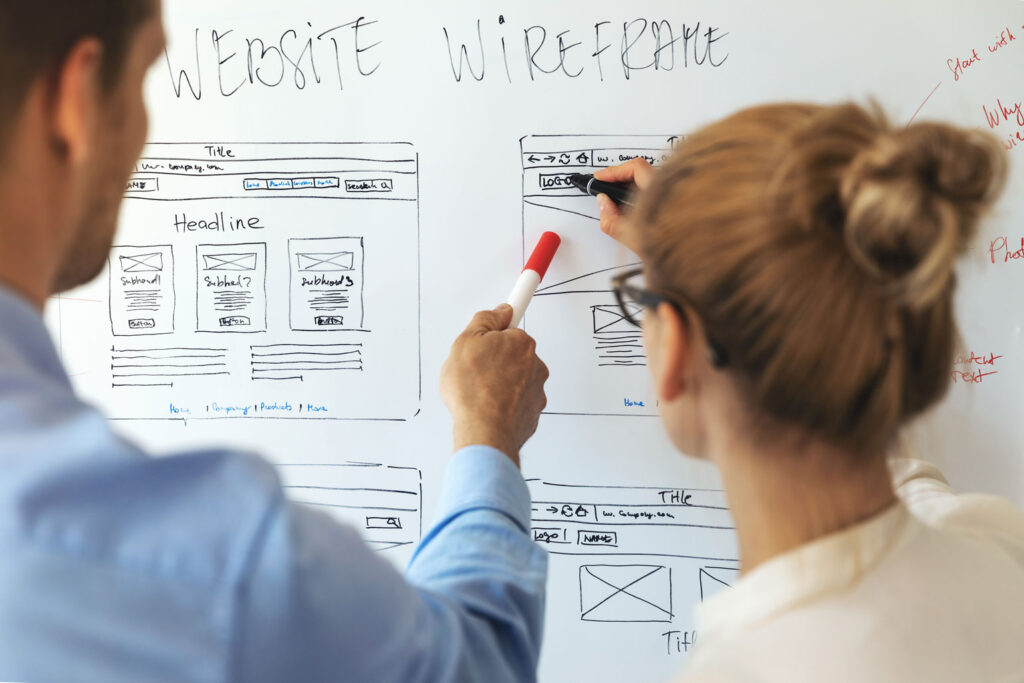
Web design is the process of creating a website's visual design and functionality. It combines elements like layout, colour schemes, typography, and user interface design to make a web page appealing and user-friendly. Web designers work with design tools such as Photoshop or Adobe XD to craft designs that reflect the business’s brand and meet users’ expectations.
The Role of a Web Designer
A web designer plays a crucial role in bringing a website to life. They work closely with clients to understand the website's purpose and target audience, then use design tools to create web pages that align with those needs. Web designers need knowledge of coding skills, design software, and user interface principles to ensure a website’s visual appeal while keeping it user-friendly.
Insights from Qualitative Research
To understand what truly engages users and meets their needs in web design, we conducted qualitative research through user interviews, feedback sessions, and usability testing.
This process allowed us to gather in-depth feedback from real users, providing valuable insights into what makes a website attractive but also functional and intuitive.
Here are some of the key findings from this research:
| Key Finding | User Insights | Best Practice |
|---|---|---|
| User-Friendly Navigation | Users expressed frustration with complex menus and unclear pathways. Clear, consistent navigation helps users find relevant information quickly. | To guide first-time visitors and improve usability, use simple, familiar menu terms and maintain a consistent navigation layout across all web pages. |
| Mobile-Responsive Design | Users expect websites to adapt seamlessly across different screen sizes, especially on mobile devices. | Implement flexible grids, scalable images, and responsive design frameworks to ensure the website adjusts smoothly across devices. Testing on multiple mobile devices ensures a user-friendly experience on all platforms. |
| Fast Loading Times | Slow-loading pages lead users to abandon websites, especially on mobile. Fast site speed reflects professionalism and reliability. | Optimise pages by compressing images, using efficient code, and utilising CDNs. Faster load times improve user experience and benefit search engine optimisation (SEO). |
| Visual Appeal Influences First Impressions | Users are drawn to websites with cohesive branding, high-quality images, and complementary colours. Clean layouts and balanced negative space enhance readability and professionalism. | Apply a cohesive colour scheme, use quality images, and maintain sufficient white space to improve readability and create a polished look. |
| Content Must Be Relevant and Easily Accessible | Clear, relevant information is essential. Users prefer websites with well-organised, jargon-free content that’s easy to scan. | Break content into manageable sections with clear headings, using concise and straightforward language. This helps users quickly find what they’re looking for and increases engagement. |
| Interactive Elements Enhance Engagement | Purposeful interactive elements, like buttons and animations, were appreciated by users and enhanced engagement when not overdone. | Integrate interactive elements like buttons and hover animations thoughtfully to guide users intuitively, enhancing aesthetic appeal and functionality. |
Principles of Good Web Design
Design Principles for a Web Page
A great web page is built on essential design principles that ensure visual appeal and functionality. These principles include:
- Balance: Using negative space, images, and text proportionally across the page achieves visual balance.
- Contrast: Using complementary colours and contrasting elements to highlight important information.
- Emphasis: Directing attention to essential parts of a web page, such as call-to-action buttons.
- Movement: Designing an intuitive flow that guides the user's attention through the site.
- Rhythm: Repeating visual elements to create a cohesive, consistent overall aesthetic.
Effective Web Design Guidelines
- Simplicity: Keep the layout clean and avoid overwhelming users with too many elements.
- Don’t make users think: Clear, straightforward navigation prevents confusion, especially for first-time visitors.
- Focus user attention: Highlight essential areas of a web page using images, primary colours, or contrasting typography.
User Experience (UX) and User Interface (UI) Design
Understanding UX Design
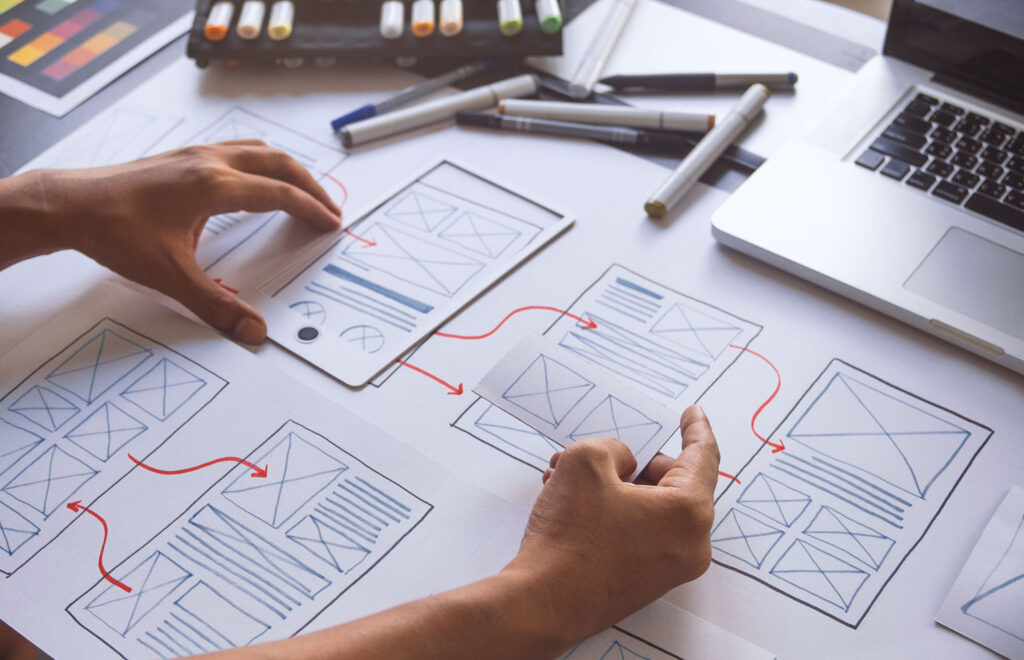
User experience (UX) design addresses how users experience and interact with a website. Good UX design should make navigation intuitive, ensure responsive design for different screen sizes, and keep user requirements minimal for positive interaction. UX design also involves creating a structured information architecture so users can quickly access relevant information.
Designing an Intuitive User Interface
The user interface (UI) design consists of interactive elements like buttons, forms, and sliders, and it plays a key role in creating a positive user experience. Key considerations in user interface design include:
- Consistency: Repeating design patterns and colours across pages helps users become familiar with the layout.
- Visual Cues: Use icons, colour schemes, and other visual elements to signal a function or interaction.
- User-Friendly Layout: Arrange elements logically to help users find relevant information easily.
Visual Elements of Web Design
Website Layout and Visual Hierarchy
A well-organised layout is crucial for guiding users through the content. Visual hierarchy directs the user’s attention and ensures they notice the most important information first. Layout and hierarchy considerations include negative space, primary colours, and typography that reflect the site’s goals and branding.
Branding and Visual Elements
Effective use of visual elements strengthens branding across a website. Some key visual elements are:
- Colour Scheme: A cohesive colour scheme, including primary and complementary colours, creates a strong brand identity.
- Typography: Fonts should be easy to read and support the overall aesthetic.
- Images and Animations: High-quality images and subtle animations enhance the site's appeal, especially on mobile devices.
Functional Components of Web Design
Navigation and Information Architecture
Clear navigation is a cornerstone of user-friendly web design. Proper information architecture involves organising content logically across different pages, enabling site visitors to find what they need without effort. Effective navigation guidelines include:
- Consistency: Maintain the same navigation across all pages to reduce confusion.
- Simplicity: Keep the main menu straightforward, focusing on essential categories only.
- Clarity: Clearly label navigation links and avoid using jargon.
Speed, Performance, and Search Engine Optimization (SEO)
Site speed and search engine optimization (SEO) are essential for improving visibility on search engines and retaining users. A slow site can frustrate users, while poor SEO can affect search engine rankings. Optimising a website for speed and SEO includes:
- Page Speed: Compress images, optimise HTML tags, and use caching to improve load times.
- Content Delivery Networks (CDNs): Use CDNs to deliver content faster by distributing data across server-side locations.
- SEO Fundamentals: Include keywords, meta descriptions, and RSS feeds where appropriate to help search engines understand and rank your content.
- Web Hosting: Choosing the right website hosting plays a vital role in delivering a fast loading website to your website visitors.
Designing and Launching a Website
Defining the Site’s Purpose and Target Audience
Identifying the website’s purpose is a critical first step before you begin designing. Defining these goals informs the design and content strategy, whether you aim to sell online, provide information, or offer services. Understanding the target audience is equally important, as it influences layout choices, written content, and user interface elements.
Choosing a Website Builder and Designing the Site
Selecting the right website builder can make designing a website easier, especially if you lack coding skills. Website builders like Wix or Squarespace provide templates and drag-and-drop functionality suitable for users without coding or design experience. WordPress is the most used website content management system powering over 40% of all websites on the internet, Consider these factors when choosing a website builder:
- Ease of Use: Some platforms are more beginner-friendly than others.
- Available Features: Ensure the platform supports features necessary for your website's purpose, such as e-commerce.
- Scalability: Choose a website builder that can grow with your business.
Testing, Launching, and Maintaining a Website
Testing your website across different devices and screen sizes ensures consistency in appearance and usability. Before launching, test for key areas like:
- Usability: Ensure clear, user-friendly navigation and intuitive page structure.
- Accessibility: Adhere to accessibility standards like WCAG, making your site inclusive.
- Performance: Ensure the site loads quickly on desktop and mobile devices.
Maintaining and updating your website after launch is essential. Use analytics tools to monitor site performance, user behaviour, and areas needing improvement.
Conclusion
Creating a website that engages users involves blending responsive web design, user interface principles, and best practices in search engine optimisation. By applying these fundamentals, web designers can build web pages that are visually appealing but also functional and user-friendly. Remember, a website’s success depends on understanding its purpose and target audience and maintaining a balance of visual design and technical performance to meet evolving user expectations. With these tips, you can design a website that captivates users and elevates your online presence.


